
many difficulties to students who are distance with Center to fix to Their JAMB issues, such as Jamb Admission, Check the JAMB profile code, and print the JAMB Admission letter, the JAMB green Card and many JAMB issues. How to Access Your JAMB Profile will help to fix many in the guide. and you can know How to Get JAMB Admission Letter, How to Accept JAMB admission, How to Access JAMB Caps, UTME Result 2025: How to check Jamb Result 2025-2026
Best Guide: How to Access JAMB Profile
The guide will help joint admissions and matriculation board (JAMB) candidates make many changes without visiting the JAMB center for some minor issues. and it’s in two steps
First Step on How to Access your JAMB Profile
- open the inbox of the email that you registered with
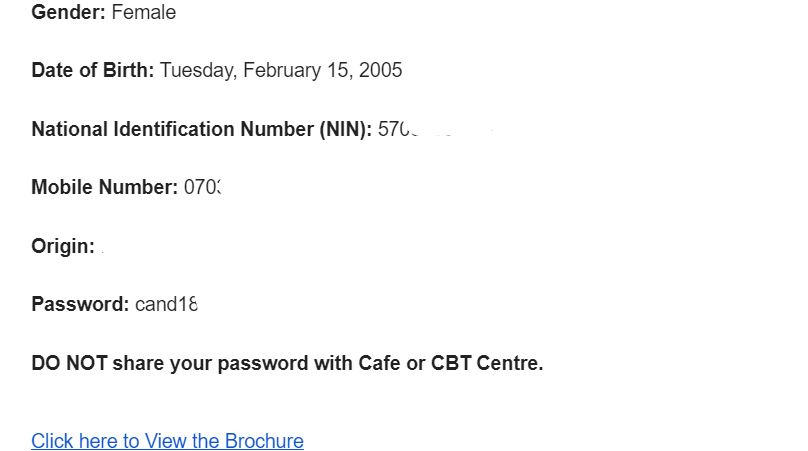
- check message with Profile Creation Details from
noreply@jamb.gov.ng open it - scroll down your personal information; at the bottom of the message, you will see login Password: cad******


- you can visit Efacility.jamb.gov.ng use your JAMB email and password, and give it to log in.
First Step on How to Access your JAMB Profile
- Firstly, click this link to access JAMB Efacility: jamb.gov.ng.
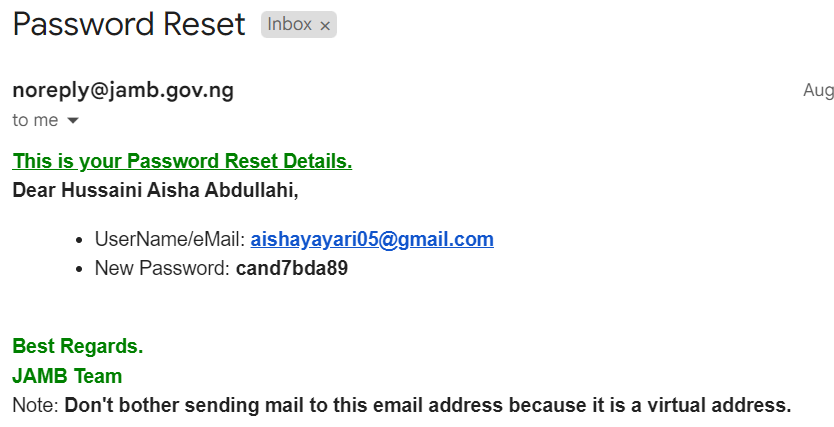
- Click on Forget Password
- Enter your email and click Password Reset.
- You will received your email/username and password that you can use to log in to your efacility.jamb.gov.ng account
Note that
Sometimes the JAMB efacility.jamb.gov.ng site will not work to pop up a block.
To block pop-ups, click the link below, but it depends on your browser.
how to disable pop-up blocking in Google Chrome
how to disable pop-up blocking in Apple Safari